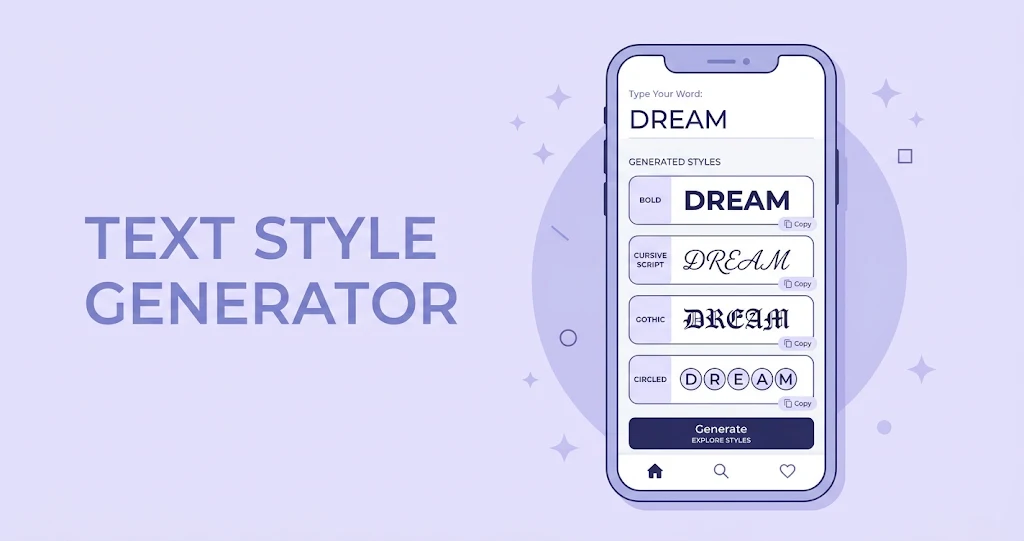
A stylish text generator turns ordinary letters into decorative text such as 𝗯𝗼𝗹𝗱, 𝓬𝓾𝓻𝓼𝓲𝓿𝓮, 𝔤𝔬𝔱𝔥𝔦𝔠 or Ⓒⓘⓡⓒⓛⓔⓓ styles. You type a word, pick the look you like, and paste it into Instagram, WhatsApp, Discord, YouTube or any other app that accepts text. No download, no sign-up and no design skills are needed.
This guide explains how these tools work, why some styles break on certain phones, and how to use them well for bios, captions, usernames and even quiz posts.
What Is a Stylish Text Generator?
A stylish text generator is a small web tool that swaps each normal letter for a lookalike character from the Unicode standard. The result is still real text, not an image and not a downloaded font, which is why you can copy it and paste it almost anywhere.
People mostly use it for short, high-visibility text: profile names, bios, captions, usernames, gaming tags, status lines and headlines. Quiz creators use it too, because a styled title or answer option stands out in a feed full of plain posts.
How Stylish Fonts Work
These styles are not fonts in the traditional sense. The tool relies on Unicode, the shared standard that gives every letter, symbol and emoji its own code, so that text looks consistent across devices. Inside that standard sits a block called Mathematical Alphanumeric Symbols, originally added so mathematicians could write equations. It contains full sets of bold, italic, script, gothic and monospace letters, and generators simply map your A to Z onto those sets.
Because the output is plain text, three things follow. It copies and pastes like any other words. It keeps its look without any CSS. And it can fail where an app’s font does not contain those characters, which shows up as empty boxes.
Why some styles show boxes or question marks
If a pasted style appears as squares, the app or device simply lacks a glyph for that character. Bold, italic and monospace sets are the safest. Gothic, small caps and circled letters work on most modern phones but can fail in older apps or on some email clients.
Popular Stylish Text Styles
Most generators offer dozens of looks, but a handful cover almost every need. The table below shows the most common ones, what they suit, and how widely they are supported.
| Style | Example | Best for | Support |
|---|---|---|---|
| Bold | 𝗤𝘂𝗶𝘇 𝗧𝗶𝗺𝗲 | Titles and hooks | Very wide |
| Italic | 𝘘𝘶𝘪𝘻 𝘛𝘪𝘮𝘦 | Soft emphasis | Very wide |
| Monospace | 𝚀𝚞𝚒𝚣 𝚃𝚒𝚖𝚎 | Tech or code themes | Wide |
| Script | 𝓠𝓾𝓲𝔃 𝓣𝓲𝓶𝓮 | Names and signatures | Good |
| Gothic | 𝔔𝔲𝔦𝔷 𝔗𝔦𝔪𝔢 | Dark or dramatic themes | Good |
| Circled | Ⓠⓤⓘⓩ | Option letters and labels | Good |
Where to Use Stylish Text
Social bios and usernames
Instagram, TikTok, X and Discord all accept Unicode text in display names and bios. Style only your name or a single tagline, and keep links, hashtags and mentions in normal text so they stay clickable.
Captions, titles and status lines
A styled first line works like a mini headline in a caption or YouTube title. WhatsApp and Telegram statuses are also a good fit because they are short by nature. Long paragraphs in decorative styles are tiring to read, so avoid them.
Quiz posts and score cards
Quiz pages gain a lot from small formatting touches. A bold title, circled option letters (Ⓐ Ⓑ Ⓒ Ⓓ) and a clear answer line make a question easy to scan on a story, a group chat or a community post. When sharing a result, a styled score such as 𝟴/𝟭𝟬 with a short challenge for friends invites more people to try the quiz.
Tips for Better Results
Short text works best, and readability matters more than decoration. Mix one styled phrase with plain words, and test the result on the app where you plan to post. If you are filming or editing a quiz video on your phone, a decent pair of earbuds helps with voice-overs, and our guide to the best wireless earbuds under 200 dollars covers options at several price points.
Keep platform rules in mind too. Do not use lookalike characters to imitate another person or brand, and remember that some apps block special characters in usernames. Screen readers can also struggle with these symbols, so keep essential information in plain text.
Summary
A stylish text generator maps normal letters to decorative Unicode characters, so the result pastes like regular text on most apps. Bold, italic and monospace styles are the safest choices, while script, gothic and circled styles add personality but may break on older devices. Use styled text sparingly for names, hooks and labels, and keep links and key details in plain text.